Delta Executor Roblox
Delta Executor is a third-party Roblox scripting utility associated with Lua/Luau execution, script hubs, coding guides, and resources for supported devices.
download Android Latest
V2.741 (Official)
Delta Executor for Roblox
Delta Executor is a very famous third-party Roblox script executor. It is used in custom scripts, script libraries, and Delta X features. In the supported environment, you can easily run Lua and Luau scripts. You can use this app easily on any device, such as Android, Windows PC, and iOS. This app offers simple controls, script management options, and features designed for different user needs. If you are using this app for the very first time, then don’t worry. You can also search for setup guides, key verification instructions, and troubleshooting help. Before downloading this app, always review the permissions, visit a trusted website, and download the latest version.
What is Delta Executor APK?
Delta Executor APK is a script executor that is very famous among Roblox players. This tool lets users run custom Lua and Luau scripts in supported game environments. It is popular among players who want to explore script execution, game customization, and additional gameplay options. Some scripts offer specific functions, while others can be customized to suit different needs.
Features of Delta Executor
Free to Use Without Monthly Fees
Delta Executor iOS is a free Roblox script executor. So Users can explore its scripting features without paying money. It does not require a monthly Fee. This executor includes options for script execution, library access, and simple interface controls. Unlike paid tools, it is 100% free and offers the features at no extra cost.
Easy-to-Use Delta Executor Interface
People think that this executor has a very complicated interface. But that is not the reality. It is a simple interface that helps users find important options without getting lost in complicated menus. The navigation is very simple. Buttons and controls are organized in such a way that you can access them easily. Users can explore script execution, key verification, and customization settings in one place. Delta Executor discord layout is very clean, which makes it easier to get started.
Built-In Script Library
This Roblox scripting app is described as providing a script library where users can browse available scripts instead of searching for every script separately. A built-in collection can make script discovery more convenient by keeping relevant resources in one place. The available scripts and categories may change, so users should check their descriptions and sources before using any external code.
Cross-Platform Compatibility
This executor tool is advertised for multiple platforms, including Android and iOS, with PC and Mac options also discussed on the website. However, support does not necessarily mean that a native application exists for every operating system. Users should check the relevant installation method and system requirements before downloading, especially when a desktop setup depends on an emulator.
Regular Updates
Delta Executor phone updates are presented as a way to address compatibility changes and improve the application. Updates can be important when the software environment changes or an existing feature stops working as expected. Users should check release information and confirm that a download matches their device. A new version does not automatically guarantee better performance or complete compatibility.
Support and Help Resources
This Luau scripting tool is supported through resources such as guides, frequently asked questions, and community channels. These resources can help users understand installation steps, activation requirements, and common technical issues. Before contacting a support account, confirm that it belongs to a trustworthy source. Support availability and response times should not be assumed unless they are clearly documented.
Crash-Related Protection
Delta Executor download advertises an anti-crash feature intended to reduce interruptions during use. Such a feature is designed to help limit problems associated with application or script errors. However, no crash-prevention system can guarantee that every script will run without issues. Results can depend on device resources, software compatibility, and the code being processed.
Lightweight Performance
It is presented as a tool intended to run on a range of devices, including phones with limited resources. A lightweight design can help keep navigation manageable and reduce unnecessary demands on a device. Actual performance depends on available memory, processor capability, background applications, and the workload. Users should check the documented requirements instead of assuming every older device will work smoothly.
Script Access in One Place
Delta Roblox Executor is described as bringing script-related options together through its interface and library. Having relevant controls in one place can reduce the need to switch between multiple pages while exploring available resources. This arrangement may be convenient for users who want a clearer workflow. The actual tools available depend on the installed distribution and should be verified before use.
Customization Controls
Delta Executor’s website describes options for adjusting aspects of the scripting experience. Customization can help users work with available controls in a way that suits their preferences. The exact settings, shortcuts, and execution options should be confirmed in the application itself. Users should not assume that every advertised customization is available across Android, iOS, Windows, and macOS.
Ad-Free Experience
It is advertised as offering an ad-free experience within its interface. A less cluttered screen can make it easier to focus on the controls and information being displayed. However, this claim should not be confused with the separate key-verification process, which may involve advertisements or redirects. Check the experience and avoid pages that request unnecessary downloads or personal information.
Console and Error Information
The script execution tool describes console-related tools for viewing script activity and identifying certain errors. Console information can be useful when trying to understand why a script did not produce the expected result. The available diagnostic details depend on the actual interface. Users learning programming should also understand basic Lua/Luau syntax and use supported development tools when testing their own code.
Lua and Luau Script Support
Delta Executor APK is associated with running scripts written for Roblox-related scripting environments. Lua and Luau use programming concepts such as variables, functions, conditions, and loops to define behavior. Understanding these concepts can help users read code and identify errors. Support for a language does not mean every script is compatible, because scripts may depend on specific functions or game structures.
Custom Script Input
It is described in third-party guides as supporting workflows involving custom scripts. Script input can be useful when users need to examine or work with code rather than select a ready-made example. The accepted input method should be checked in the relevant interface. Before using a script, review its source and purpose, particularly when it comes from an unfamiliar website.
Script Saving and Organization
The app describes options for keeping frequently used scripts together in its library. Saving resources can make them easier to locate later and reduce the need to search for the same material repeatedly. The available saving and organization options should be verified in the installed application. Users should keep track of script sources and remove outdated code that no longer serves its intended purpose.
Convenient Key Verification
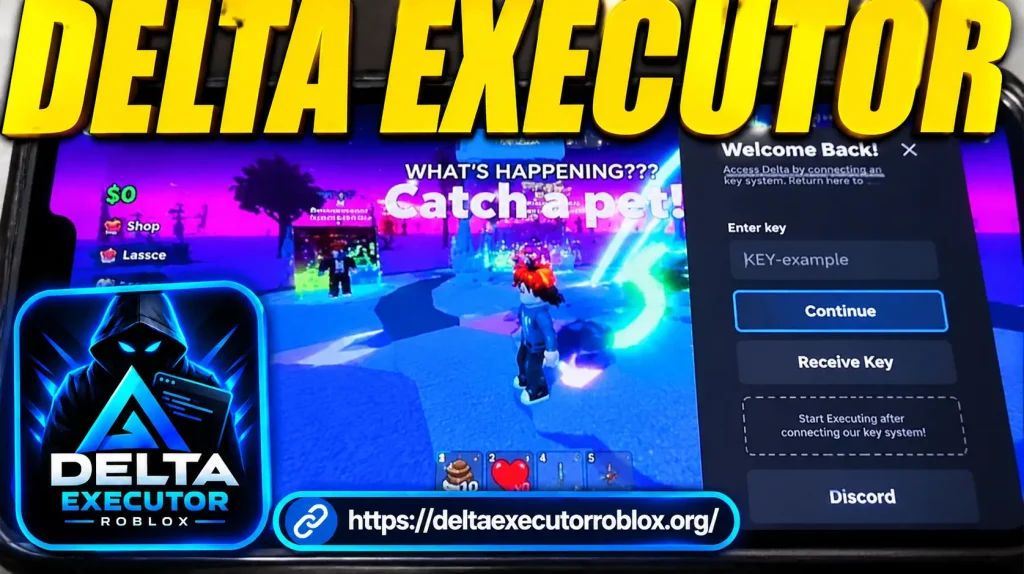
Delta Executor App uses a key system in the workflow described on its website. A key is an activation code that may be requested before access to certain features is provided. This process can involve opening a verification page and entering the resulting code. Requirements may change, so users should follow the documented instructions and avoid sharing Roblox passwords with unrelated services.
Access to Script Categories
The advertised script library can help users explore different categories of scripting resources. Categories make it easier to understand whether a script is intended for a particular game or task. Clear descriptions are especially helpful when multiple scripts have similar names. Users should review compatibility and permissions before using a resource rather than assuming every item in a library will work.
Mobile-Friendly Workflow
Delta Executor APK Download is frequently discussed in connection with mobile use, especially Android installation and touchscreen navigation. A mobile-friendly workflow can make it easier to access available controls on a smaller screen. However, the layout and installation process can differ between devices and operating systems. Check the supported platform and actual application requirements before following mobile setup instructions.
Simple Navigation for Beginners
Delta Executor APK 2026 is presented with a straightforward workflow that may help new users understand its main sections. Clear labels and organized controls can reduce confusion when exploring script resources, settings, and activation options. Beginners can benefit from learning the purpose of each control before using it. Reading the documentation and understanding basic scripting concepts can make the overall process easier to follow.
Delta Executor APK vs Other Roblox Executors
| Executor | Platform Support | Security & Updates | Performance | Key System | Best For |
| Delta Executor | Android, PC, iOS (version-dependent) | Updates and security features vary by release | Depends on device and script | Required in some versions | Roblox script execution |
| Arceus X | Primarily Android | Depends on source and version | Varies by device and script | Version-dependent | Mobile Roblox users |
| Hydrogen | Platform support varies by release | Depends on the distribution | Heavy scripts affect performance | Version-dependent | Users exploring executor alternatives |
| Vega X | Android and PC availability varies | Updates and protection depend on version | Depends on device compatibility | Version-dependent | Users comparing executor options |
Step-by-Step Guide to Download Delta Executor APK on Android
The download process is very simple. Follow the guide below.
- Search for the app on Google Chrome and find the trusted website.
- When you search for the app, find the ” Descargar Delta Executor download button.
- Now the download starts. It takes a few minutes.
- Also, allow all unknown permissions. This is important for third-party apps.
- That’s the process to download this app.
How to Understand Roblox Scripts and Delta X
- Download Delta X: Get the Delta Executor APK Roblox installation file from a trusted website.
- Install the App: Follow the available installation instructions, reviewing any requested permissions before installing it.
- Open Roblox: Launch Roblox and select a game.
- Open Delta X: If the tool is compatible and available, open its interface and look for the script window.
- Access the Script Executor: Navigate through the available GUI options to find the script editor.
- Add Your Script: Enter or paste a Lua/Luau script from a source you trust.
- Review and Run: Check the script and use the available execution controls, if supported.
Delta Key
The Delta key is a verification code. It is mostly used for verification. It gives access to all advanced features after verification. The key system may ask users to complete tasks, view advertisements, or visit specific links to obtain a temporary key. In some versions, the key may be valid for just 24 hours. Always review links before opening them. Also avoid sharing personal information.
What is Delta Discord
Delta Discord is a community server. This is the best and most useful platform for Roblox scripting. Users can ask different questions and find solutions to their problems. It helps users explore setup guides, troubleshooting tips, and script-related discussions, and much more. If you are facing errors or compatibility issues, you can easily find possible solutions. On this platform, you can also discuss Lua and Luau scripts.
Delta Discord Features
- Guides and tutorials: Find setup instructions and basic troubleshooting advice.
- Bug reports: Discuss errors, crashes, and compatibility problems.
- Update announcements: Check for information about new releases.
- Script discussions: Explore Roblox scripting topics and community-shared examples.
- Community support: Connect with other users to exchange tips and possible fixes.
Which Games Work With Delta Executor?
- Murder Mystery 2
- Piggy
- Blox Fruits
- Adopt Me!
- Free Fire
- PUBG Mobile
- Minecraft Mobile
How to Fix Common Delta Executor Errors
Delta Executor Is Not Opening
- Check whether the installed file matches your mobile operating system.
- Also, restart the device and try opening the application again.
- Check available storage and confirm that the download completed.
- Review the exact error message for clues about compatibility.
- Avoid installing replacement files from unverified websites.
Delta Executor Is Stuck on Loading
- Check whether your internet connection is working normally.
- Also, close the application and reopen it once.
- Check for documented service interruptions or compatibility announcements.
- Record whether the problem starts before or after the initial screen.
- Avoid repeatedly downloading files while the cause remains unknown.
Delta Key Is Not Working
- Confirm that the key was copied completely.
- Check the relevant documentation for expiration or renewal rules.
- Make sure the activation instructions match the installed distribution.
- Restart the documented verification process if it was interrupted.
- Do not pay an unknown person to generate a replacement key.
Delta Executor Cannot Install on Android
- Check that the file is intended for Android.
- Confirm that the download completed without an error.
- Review available device storage.
- Check whether an incompatible package or an existing installation is causing a conflict.
- Read the installation warning instead of automatically approving it.
Pros and Cons
Pros
- Easy-to-Use Interface
- Simple Script Execution
- Script Library Access
- Custom Script Support
- Beginner-Friendly Controls
- Multiple Platform Options
- Lightweight Interface
- Quick Script Access
- Lua Script Support
- Delta X Features
- Customization Options
- Community Discussions
- Troubleshooting Resources
- Free Access Options
Cons
- It is a third-party executor, so you must visit a trusted website to download it.
- Fake key pages can threaten privacy.
- Script use can violate Roblox rules.
Conclusion
Delta Executor is a third-party Roblox scripting tool. With the help of this tool, you can run custom scripts and additional gameplay options. You can access a large script library. You can find tutorials, setup guides, common errors, and troubleshooting tips on Delta-related Discord communities. Before downloading, you must verify the download source, review app permissions, and follow Roblox’s rules.
FAQs
What tools and scripting options does Delta Executor offer?
It offers a script interface, library access, and customization options that vary by version.
How can you stay safe when using Delta Executor APK?
Download files from trusted sources, review permissions, avoid suspicious links, and protect your account details.
Are all Lua scripts compatible with Delta Executor APK Download?
No, compatibility depends on the game, supported functions, and software version.
Is Delta Executor better than Arceus X and Hydrogen?
Each tool differs in platform support, features, compatibility, and performance across devices.
What is Delta Executor 2.0, and how does it work?
Version 2.0 refers to a release associated with the tool, with features depending on the specific version.